Get your API Key
To use the REST API as a user of the Semodia Platform, the corresponding HTTP client requires an X-API key in the header. This can be generated on our Semodia Platform.
To do this, login to your account and open your profile view
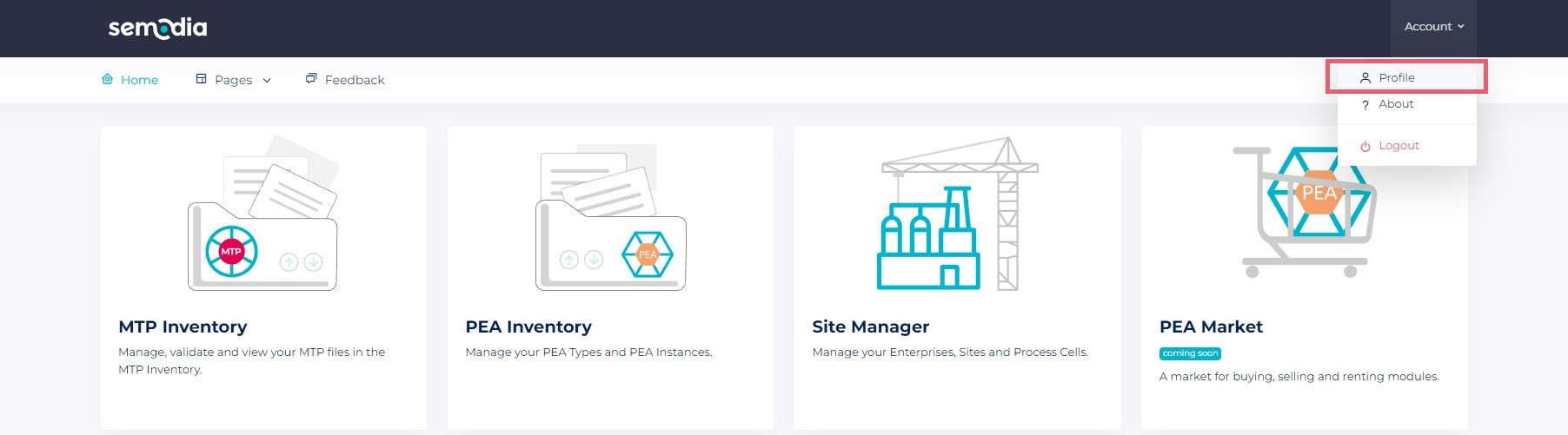
and switch to the "API Key" section
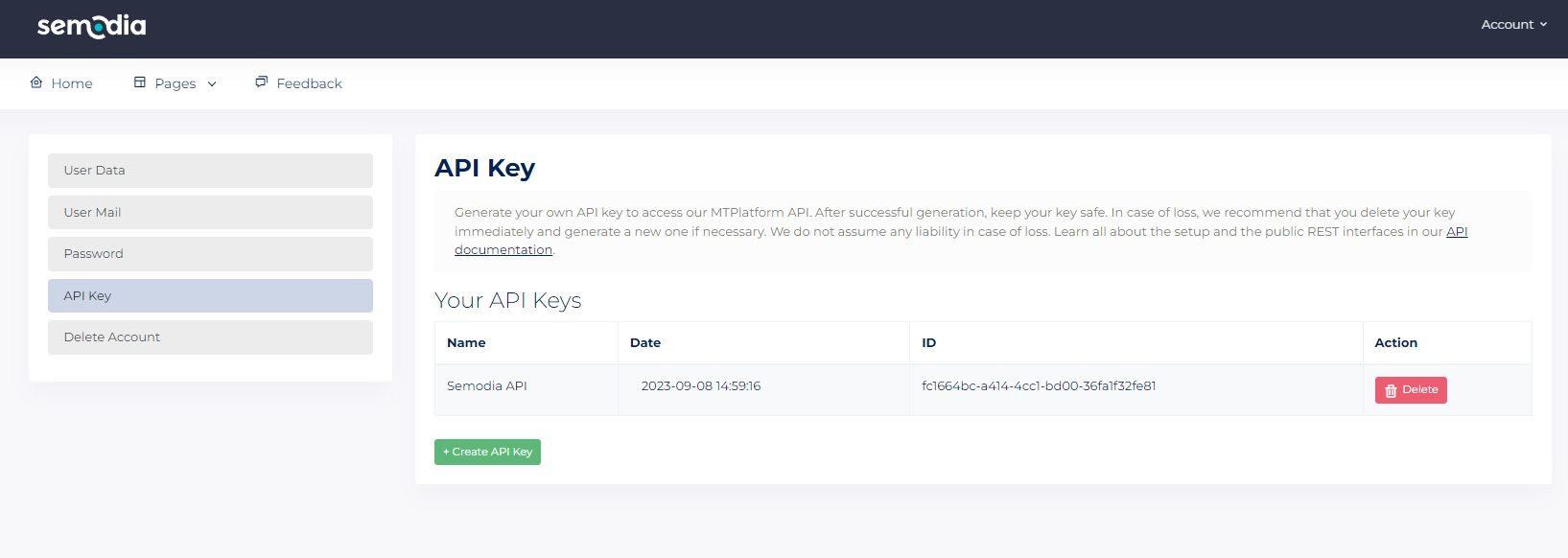
Click on "Create API Key" and create your own key with the corresponding alias name. Upon successful creation, a popup will appear displaying your key once. A later display is not possible! You can delete your keys by clicking on the Delete button at every time. Be sure to save your key in a safe place and protect it from unauthorized access.
Next
Learn how to successfully connect to the API in our getting started article and read our API documentation to get an overview of the defined interfaces.